Integration
Our Nomad/Helm Integration is the first step in configuring the Sensa Control System. Through a series of screens you will be guided through this process.
Licensing
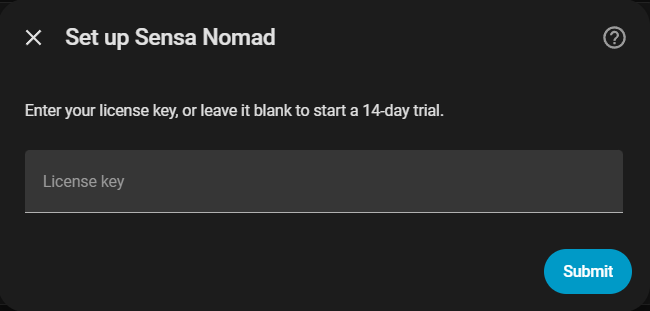
You will be prompted to enter your license key. Each purchase of Nomad or Helm will be shipped with a License Key and it will be available in the Sensa Hub portal. You can install Sensa Control without a license key and the product will function for 14 days in trial mode.
What happens when a trial or licence ends
When a trial runs out, or a licence expires or is cancelled, the system moves to read-only. Nothing is lost: you can still see every screen, your dashboards, tanks and readings, but you cannot switch devices on or off until a valid licence is in place. Your settings, backups and safety alarms keep working throughout.
To restore full control, enter a valid licence. On a Nomad Appliance or Enthusiast system you can do this yourself: go to Settings, System, type your code into the licence field and activate it. Full control returns as soon as the code is accepted. If you have just renewed and want the system to notice straight away, use Check in now on the same screen rather than waiting for the next automatic check.
Network Scan
Enter the network subnet you wish to scan. Your devices may be on the same network as your server, however Sensa recommend a separate subnet for your devices for security purposes. It will default to the subnet of your server, but change this to the subnet which contains your devices.
Completion
That's it, the initial discovery is now complete. The system will restart automatically at this stage.