Autoterm 2D and 4D Diesel Heater
A Sensa heater controller puts your Autoterm Air 2D or Air 4D diesel heater on the Climate tab, so you can switch it on, pick a mode and set how warm you want the van.
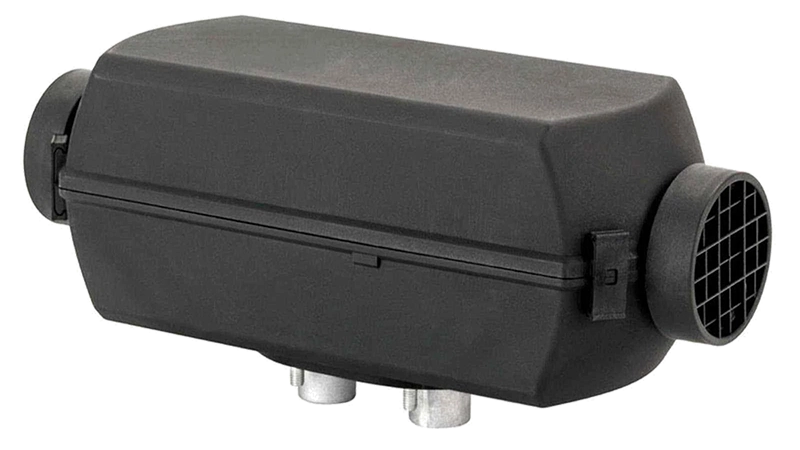
Included in Pro and Vision.
Sensa Connection Method
Network: Wi-Fi.
Installation
The Sensa controller is a small box that plugs in behind the heater's control panel, between the panel and the heater, and takes its power from the heater's own panel cable. Your Autoterm panel stays plugged into the box and keeps working exactly as before, so you can still use it if Sensa is not running.
Configuration
Join your Wi-Fi
Your controller arrives with its firmware installed. To put it on your van's Wi-Fi:
- On your phone, join the Wi-Fi network named
ss-setup-airdh. The password issensasetup. - Pick your van's Wi-Fi network from the list and enter its password.
- Power the controller off and on again. It then joins your network.
Adding to Sensa Nomad
Once it is on your van's network, Sensa finds it on its own. Open Settings, choose the Devices tab, tick it under Discovered and press Add Selected Devices. If it is not there yet, press Scan.
See Adding devices for more.
What you see
A heater card at the top of the Climate tab with a power button, a dial and Autoterm's own modes: Power, Temperature, Heat + Ventilation, Thermostat and Ventilation. The Home screens can carry a smaller version too. Heating explains every control.
Good to know
- Tell Sensa which heater you have. On the Devices tab, tap the cog on the heater's row and set Heater Model. Without it the Diagnostics popup shows no readings, and a wrong one makes its report say to check it.
- Choose which thermometer it goes by in the temperature modes with Temperature Sensor Source on the same row: the wall panel, the heater's air intake, or any temperature sensor in your van.