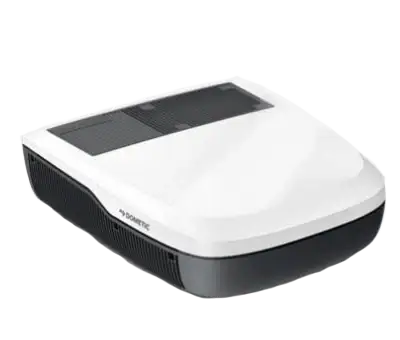
Dometic FreshJet FJX and FJZ Air Con
A Sensa bridge puts your Dometic FreshJet rooftop air conditioner on the Climate tab, so you can switch it on, pick a mode, set the temperature and fan, and work its lights.
Included in Pro and Vision.
Sensa Connection Method
Network: Wi-Fi.
Installation
Mount a Sensa bridge near each rooftop unit, one bridge per air conditioner, within reach of your van's Wi-Fi.
Configuration
The FreshJet talks Bluetooth, but it needs a secure paired link that a Bluetooth proxy cannot carry. So a small Sensa bridge pairs with the air conditioner over Bluetooth and joins your van's network over Wi-Fi. You need one bridge per air conditioner, mounted near the rooftop unit.
The FreshJet FJX (Series 4 and 7) and the newer FJZ both work. The older FreshJet FJ, which has only an infrared remote, does not.
Join your Wi-Fi
- On your phone, join the Wi-Fi network named
ss-setup-dfx. The password issensasetup. - Pick your van's Wi-Fi network from the list and enter its password. It must be a 2.4 GHz network.
- Power the bridge off and on again. It then joins your network.
Adding to Sensa Nomad
- Open Settings, choose the Devices tab, tick the bridge under Discovered and press Add Selected Devices. If it is not there yet, press Scan.
- Tap the cog on the bridge's row. It shows the pairing status, with Pair and Forget buttons.
- On the air conditioner's control panel, hold the + and - buttons together for about 3 seconds, until the display shows
BL. - Press Pair. Once paired, the air conditioner appears as Dometic FreshJet FJX/FJZ.
The bridge remembers the air conditioner and reconnects to it on its own after a restart. If you replace the unit, press Forget, then pair again.
See Adding devices for more.
What you see
- An air conditioner card on the Climate tab with a dial to set the temperature, plus power, mode and fan.
- A compact version on the Habitation Home screen. See Choosing what appears on Home.
- Interior and Roof buttons for the unit's own lights, on both cards. A button appears only when your unit reports that light.
Good to know
- If the bridge loses the air conditioner, for example after a power cut, you get an Air conditioner not connected alarm. Check the unit has power. If the alarm stays, pair it again: hold + and - on its panel until it shows
BL, then press Pair on the bridge's row in Settings. - Heaters and air conditioners can be set from a routine, with the modes your unit actually has. See Routines.