Sonoff Dongle M Zigbee Coordinator
The Sonoff Dongle M is a Zigbee coordinator: the radio your Zigbee devices, such as leak sensors, vibration sensors and scene buttons, talk to. Sensa needs one before it can use any Zigbee device.
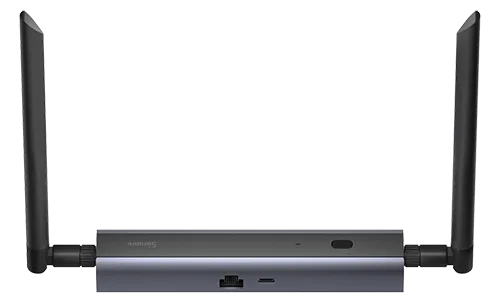
Sensa Connection Method
Network: Ethernet or PoE.
Installation
Connect it to your router or network switch with a network cable, or to a PoE port so the same cable powers it. Place it near the middle of the van, so its Zigbee signal reaches every device.
Configuration
Set the Dongle M up on its own web page before you add it to Sensa:
- Connect it to your router or network switch with a network cable, or to a PoE port. If your network is split into several secure networks, connect it to the IOT network (192.168.2.0/24). See Network planning.
- Open its web page. On a phone or laptop connected to your van's network, open a web browser and go to
http://Dongle-M.local. If that page does not open, find the Dongle M in your router's list of connected devices and type its address into the browser instead. The first time, it asks you to set a password. - Choose Zigbee Coordinator. Open EFR32MG24 Operation Mode and choose Zigbee Coordinator. Sensa cannot find the Dongle M in any other mode.
- Give it a fixed address on your router, usually called a static lease or DHCP reservation. Its address is stored in the Zigbee settings and is never chased automatically, so a coordinator that moves has to be put back by hand.
Once it is set up, Sensa finds it by looking across your network for it.
Adding to Sensa Nomad
Open Settings, choose the Devices tab, tick it under Discovered and press Add Selected Devices. If it is not there yet, press Scan. If it is on a different part of your network, change the Subnet next to the Scan button first.
Sensa then sets up Zigbee to use the coordinator for you.
See Adding devices for more.
What you see
Once the coordinator is added, press Pair Zigbee on the Devices tab, then the pair button on your Zigbee device, and the device is added to Sensa on its own.
The Dongle M has no readings of its own in Sensa. Its status and firmware are on its own web page.
Good to know
- If every Zigbee device stops answering at once, see Every Zigbee device goes unavailable at once.