Aqara Cube T1 Pro
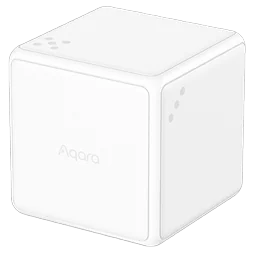
A battery powered cube you move by hand, model MFCZQ12LM. It switches nothing on its own: each move is something you bind to a routine, so a shake can set a scene, a flip can switch on the lights, or a move can do anything else a routine can.
Sensa Connection Method
Zigbee.
Installation
Keep it within range of your Zigbee coordinator. Mains-powered Zigbee devices pass the signal on, so they extend that range.
Configuration
The cube uses Zigbee, so you need a Zigbee coordinator added to Sensa first, such as the SMLight SLZB or the Sonoff Dongle M.
Adding to Sensa Nomad
Open Settings, choose the Devices tab and press Pair Zigbee. Take the back plate off the cube and hold its LINK button for about 5 seconds, until the blue light blinks three times. Sensa adds it as soon as it joins, and it moves to Added. If it does not finish joining, give LINK a short press to keep the light flashing.
If it has been paired before and is waiting under Discovered, tick it and press Add Selected Devices. If it is not there yet, press Scan.
See Adding devices for more.
Dimming a light
To use the cube as a dimmer, build a routine. Under When, pick the cube's Action and choose Turn (either way). Under Then Do, choose Dim by turn and pick a light. Turn the cube right to brighten the light and left to dim it. Half a turn takes it through its whole range.
To dim a different light from each side of the cube, make one routine per side, each with an And If on the cube's Side.
The cube can miss a turn straight after you have been handling it. Put it down on a flat surface and let go for a moment, then turn it. If turning stops doing anything, pick the cube up, put it down again and let go. The same goes for changing a temperature.
Changing a temperature
The cube can change the temperature of an air conditioner, a heater or Climate Control the same way. Build a routine with Turn (either way) under When, then choose Temperature by turn under Then Do and pick what to change. Turn right to raise it and left to lower it, by 1 degree for every 30 degrees you turn. It only changes the temperature, so a heater or air conditioner that is off stays off.
What you see
The cube gets no card of its own. Instead, build a routine with When, Device, and pick the cube's Action. Its moves are then offered by name in the box beside it, such as Shake and Flip 90°.
The cube has two modes, and sends different moves in each. Sensa offers every move, so pick one from the mode your cube is in:
| Mode | Moves |
|---|---|
| Both modes | Rotate left, Rotate right, Shake, Throw, Still for 1 minute |
| Scene mode | Hold, Side up, Flip to side |
| Action mode | Slide, Tap, Flip 90°, Flip 180° |
If a move does nothing, the cube is probably in the other mode. To swap modes, take the back plate off and click LINK five times.
To give one side of the cube its own job, pick the cube's Side in When instead of its Action, then choose the side from 1 to 6.