Aqara Water Leak Detector
A small Zigbee sensor you place where a leak would do damage before you noticed it. When water reaches it, Sensa raises an alarm naming the sensor, so you know where to look.
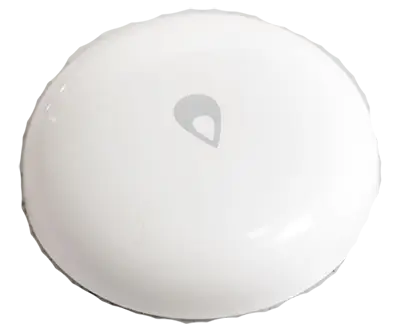
Sensa Connection Method
Zigbee.
Installation
Install it following Aqara's instructions, within range of your Zigbee coordinator. Mains-powered Zigbee devices pass the signal on, so they extend that range.
Configuration
The sensor uses Zigbee, so you need a Zigbee coordinator added to Sensa first, such as the SMLight SLZB or the Sonoff Dongle M.
Adding to Sensa Nomad
Open Settings, choose the Devices tab and press Pair Zigbee, then press the pair button on the sensor. Sensa adds it as soon as it joins, and it moves to Added.
If it has been paired before and is waiting under Discovered, tick it and press Add Selected Devices. If it is not there yet, press Scan.
See Adding devices for more.
What you see
- A tile on the Habitation Security tab reading Wet or Dry, with when it last changed. It turns red when wet.
- The Water leak detected instinct raises a red alarm naming the sensor. It sounds in every scene, and clears itself once the sensor dries out.
Good to know
- Good places for it are under the sink, beside the water pump, under the fridge, and in any locker carrying plumbing.
- If your system starts up while the sensor is already wet, it tells you straight away.
- This model carries the Unverified label in the Devices list. See Supported devices for what that means.