Moes 4 Gang Zigbee Switch
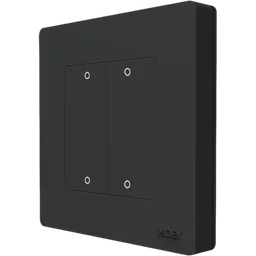
A battery powered wall switch with four buttons, model ZT-SR-EU4GY-M5. It switches nothing and reads nothing on its own: each press is something you bind to a routine, so one button can set a scene, switch on the lights or do anything else a routine can.
Sensa Connection Method
Zigbee.
Installation
Install it following Moes's instructions, within range of your Zigbee coordinator. Mains-powered Zigbee devices pass the signal on, so they extend that range.
Configuration
The switch uses Zigbee, so you need a Zigbee coordinator added to Sensa first, such as the SMLight SLZB or the Sonoff Dongle M.
Adding to Sensa Nomad
Open Settings, choose the Devices tab and press Pair Zigbee, then hold the lower-left button on the switch for about 10 seconds until its lights flash. Sensa adds it as soon as it joins, and it moves to Added. If it does not join the first time, hold the button again.
If it has been paired before and is waiting under Discovered, tick it and press Add Selected Devices. If it is not there yet, press Scan.
See Adding devices for more.
What you see
The switch gets no card of its own. Instead, build a routine with When, Device, and pick the switch. Its presses are offered by name, such as Button 1 · single press and Button 3 · hold, so each button and each kind of press can have a different job.